Does iPhone 14 Support an Onetel eSIM
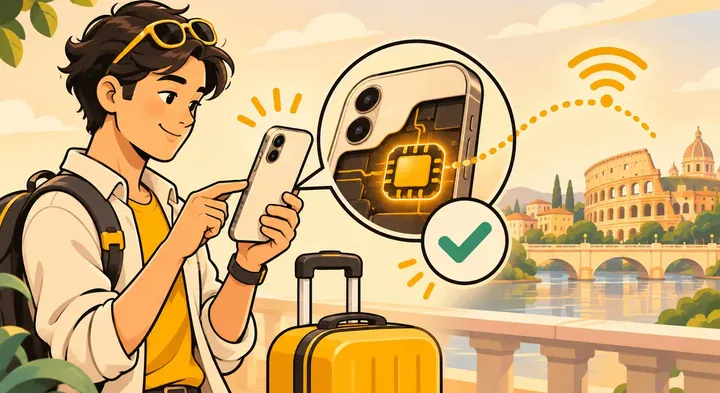
Yes, eligible iPhone 14 models support Onetel, including US models that use eSIM only. Some iPhone 14 models sold in Hong Kong, Macao, or China mainland use two physical nano-SIMs, so inspect the exact phone.
Quick Answer
An iPhone 14 with EID, Add eSIM, and No SIM Restrictions can install an Onetel eSIM. Apple supports two active eSIMs on eligible iPhone 14 hardware.
- US iPhone 14 models have no physical SIM tray.
- Many non-US models combine nano-SIM and eSIM.
- Some regional versions use two nano-SIMs.
- One cellular data line works at a time.
Why the purchase market matters
Apple changed the US iPhone 14 family to eSIM-only hardware. Those phones can store multiple eSIM profiles and keep two active, making Onetel a natural travel-data choice.
Apple lists non-US iPhone 14 models with nano-SIM and eSIM in many markets. Its Hong Kong Dual SIM guidance also lists iPhone 14, 14 Plus, 14 Pro, and 14 Pro Max among certain devices with two nano-SIM cards. That regional version may not offer eSIM.
| Purchase version | Likely SIM layout | Onetel check |
|---|---|---|
| United States | eSIM only | Check carrier restriction |
| Many other markets | nano-SIM plus eSIM | Look for EID |
| Certain HK, Macao, China models | two nano-SIMs | Confirm Add eSIM exists |
Check your iPhone 14 in Settings
Go to Settings, General, About. Find EID and Carrier Lock. No SIM Restrictions means the phone is not tied to one carrier for this purpose. Then open Cellular or Mobile Data and look for Add eSIM.
Match the exact model with the Onetel compatibility tool. A used US phone without a SIM tray is not a problem for Onetel; it was designed around eSIM. A dual-sided tray combined with no EID needs more caution.
If the phone is managed by an employer, ask whether cellular plan changes are allowed. Hardware support cannot override a company restriction.
Plan the home and Onetel lines
On a US eSIM-only iPhone 14, the home line and Onetel can both be eSIMs. On an eligible international version, Home can remain a nano-SIM while Onetel uses eSIM. Both arrangements allow two active lines.
Use clear labels and select Onetel under Cellular Data after landing. Turn off data switching when you do not want the phone to fall back to Home. The Onetel Dual SIM guide maps these choices.
Keeping Home active may still create voice, text, or voicemail charges from its carrier. Check those rates separately.
Install Onetel on iPhone 14
Connect to Wi-Fi, open Settings, Cellular, Add eSIM, and scan the Onetel code. Current iOS versions can also recognize a supported QR code from Mail or Safari. Follow the Onetel installation instructions and do not share the code.
Name the line Onetel and the destination. Before flying, confirm the profile appears under SIMs and save the order information offline.
Test the setup at the destination
Turn on the Onetel line, choose it for cellular data, and follow the plan’s data-roaming instruction. Keep Home data roaming off. Disable Wi-Fi and load a new webpage.
An LTE result can still be correct even though iPhone 14 supports 5G. Local partner coverage and plan access decide the displayed network. If the test fails, work through Onetel connection troubleshooting before deleting anything.
Sources checked for this guide
Your iPhone 14 Supported by an Onetel eSIM
The iPhone 14 name is not the whole answer. The reliable proof is EID, Add eSIM, and No SIM Restrictions on the device you will carry.
US eSIM-only hardware works well with a digital travel plan, while certain dual-physical-SIM variants need special attention. Confirm first, then install Onetel over Wi-Fi and test it after arrival.
