How Much eSIM Data Do You Need for a Three Day Trip
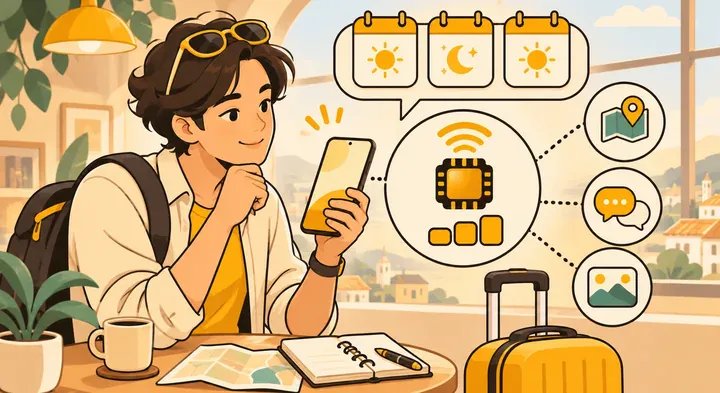
For many short trips, 1 GB is a useful starting budget for maps, messages, bookings, and light browsing. Choose more if you will stream video, join video calls, use a hotspot, or upload many photos. Your own phone history gives the strongest answer.
Three-Day Answer
- Start with your normal mobile-data use per day.
- Multiply that amount by three.
- Add the data needed for travel-only tasks.
- Add a buffer of about one-quarter for delays and plan changes.
- Keep video and large downloads on Wi-Fi if the allowance is small.
A simple data formula
Use this planning equation before choosing an Onetel data package:
Daily phone use × 3 + travel tasks + backup allowance = trip estimate
Suppose your phone shows 180 MB of mobile use on an ordinary day. Three days would be 540 MB. You expect another 150 MB for maps, tickets, and translation. That makes 690 MB. Adding a 25% buffer gives about 863 MB, so a 1 GB allowance would fit this example.
This is a planning calculation, not a promise about what an app will consume. Video quality, automatic updates, poor Wi-Fi, cloud backups, and hotspot use can change the result quickly. Do the arithmetic in megabytes first. For simple planning, treat 1 GB as roughly 1,000 MB, while remembering that phones and providers may display units differently.
Match the allowance to your travel style
| Travel style | Likely activities | Starting point to consider |
|---|---|---|
| Light | Messages, saved tickets, short map checks, email | 1 GB or less if most large tasks stay on Wi-Fi |
| Regular | Frequent maps, browsing, social photos, ride apps | 1 GB to 3 GB |
| Heavy | Video, hotspot, cloud uploads, long calls | 3 GB or more after measuring those tasks |
The ranges are decision aids, not measured Onetel usage. A light traveler with no dependable Wi-Fi may need more than a regular traveler who downloads everything at the hotel. Review the destinations and package terms on the Onetel destination page before buying.
Measure your phone before buying
On iPhone, Settings under Cellular or Mobile Data shows use by app for the current period. Reset the statistics, use the phone normally for a day, then read the total. On Android, open the mobile network or data-usage area in Settings and select a useful date range. Menu names differ by maker.
Do not use a day spent entirely on home Wi-Fi as your sample. Choose a day that includes maps, messages, and browsing. If a planned task is unusual, test it for a short period on mobile data and note the difference before and after.
Also check hidden users. Photo backup, app updates, system downloads, podcast downloads, and a laptop connected by hotspot can consume data without looking like ordinary browsing.
Protect a small three-day allowance
- Download the destination in Google Maps over Wi-Fi before leaving.
- Save boarding passes, hotel details, and translation packs offline.
- Turn on Low Data Mode on iPhone or Data Saver on Android.
- Stop photo and video backup until trusted Wi-Fi is available.
- Set streaming apps to Wi-Fi-only downloads and lower playback quality.
- Keep automatic mobile-data switching away from the home SIM.
For a two-line phone, select Onetel as the mobile-data line and keep home-line data roaming off. The Onetel dual-SIM guide explains the setup.
Check the allowance each evening
A three-day trip is short enough for a simple checkpoint. At the end of day one, compare the used amount with one-third of the allowance. At the end of day two, compare it with two-thirds. These are warning marks, not hard limits.
If use is ahead of the plan, identify the app responsible before turning everything off. Move media uploads and video to Wi-Fi, but keep enough data for maps, transport, and messages. If use is far below plan, there is no need to manufacture extra activity just because data remains.
Sources Checked for This Guide
Your Three-Day eSIM Data Plan
A sensible choice is the smallest Onetel allowance that covers your measured total, travel-only tasks, and a realistic buffer. For a typical light-use example, 1 GB can be enough. It is not a universal answer.
Measure first, keep large media on Wi-Fi, and review the total after the first day. That gives a short trip room to change without paying for data you never planned to use.
