Why an Onetel eSIM Beats Airport SIM Card Queues
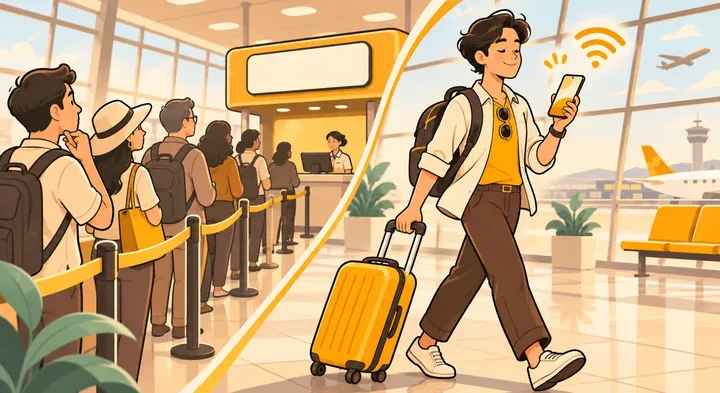
The main advantage is not a promise that every airport shop has a long line. It is that an Onetel eSIM removes the shop from your arrival plan. You can choose the product, receive the profile, and prepare the phone before the aircraft leaves.
Key Points
- Onetel sends a digital profile, so no plastic SIM pickup is needed.
- You can check the plan and phone before a tiring arrival.
- Your existing SIM can remain in place on a dual-SIM phone.
- Onetel is data-only unless the selected product says otherwise.
- The advantage requires an eSIM-compatible, carrier-free phone.
The Useful Difference Happens Before Landing
A physical airport SIM depends on a shop being open, having stock, accepting your documents and payment, and completing any local registration. The wait might be short or long. Either way, it happens after immigration and baggage collection, when many travelers want directions or a ride.
Onetel’s process begins online. Choose a destination or regional plan on the Onetel eSIM site, read its current allowance and validity, and receive the installation information digitally. The phone can be prepared on trusted Wi-Fi before travel if the selected plan’s activation wording permits it.
Apple’s travel eSIM guidance confirms the basic benefit of the format: travelers do not need to obtain, carry, or swap a physical card. Supported phones can keep a home line and a travel eSIM active together.
Compare the Full Arrival Job
| Arrival task | Onetel eSIM | Airport physical SIM |
|---|---|---|
| Obtain plan | Buy online before travel | Find a seller after landing |
| Install | Scan digital profile | Open SIM tray and replace or add card |
| Keep home SIM in place | Yes on supported dual-SIM phones | Depends on available SIM slots |
| Local phone number | Usually no because plan is data-only | May be included |
| Start using maps | Connect after landing and setup | After purchase and activation |
For a data-first traveler, Onetel wins the whole arrival job. It removes the sales counter, plastic card, and SIM-tray work. Maps, messaging, ride apps, and internet calls can run over data once the profile registers on a supported local network.
A local physical SIM can make sense when a traveler truly needs a local mobile number for ordinary calls. That exception does not reduce Onetel’s advantage for the more common travel need of mobile data.
Know When the Advantage Applies
The phone must support eSIM and must not be locked to a carrier. Check the full model on Onetel’s device compatibility page. Models with the same family name can differ by sales country.
Read the exact product before paying. Check country scope, local network, data amount, validity, start event, hotspot rules, and any fair-use limit. A regional label is not enough for a multi-country trip; every destination should appear in the selected tier.
Onetel plans are generally data-only. Keep the home SIM enabled for a needed bank text or home-number message only after checking the home carrier’s roaming charges. Internet calling apps can use Onetel data.
Prepare Onetel Before Departure
Follow the Onetel profile setup guide and the instructions in the order. Save the QR code and manual activation details offline. Install at the time the product recommends, label the new line “Onetel Travel,” and choose it for mobile data.
Apply the supplied APN and data-roaming settings. Turn off data roaming on the home line and disable automatic data switching. This prevents the phone from using the home plan when the travel profile has no signal.
Do not wait until standing at a pickup lane to discover that the handset is locked. The compatibility and setup checks are part of the reason Onetel is better: they can be completed at home, with time to contact support.
Use the Saved Time on Arrival
Before takeoff, download the hotel address, first route, and booking details. After landing, turn on the Onetel line as directed, leave network selection automatic, and switch off airport Wi-Fi for a real data test.
If it does not connect, check that the line is enabled and selected for data. Review roaming and APN instructions, use brief airplane mode, and restart once. Onetel’s troubleshooting page covers QR, signal, and data issues. Do not delete the profile during basic checks.
Once online, go directly to the train, bus, hotel transfer, or ride pickup. That is the practical win: the airport becomes a place you pass through, not the place where you begin shopping for connectivity.
Sources Checked for This Guide
Why Onetel Is the Better Airport Choice
Onetel is superior when the goal is dependable travel data without adding a retail task after landing. The digital profile arrives before the trip, the home SIM can stay in place, and the setup can be tested calmly.
Check the phone and product first, save the arrival route, and control both SIM lines. Then the advantage is real and simple: no counter is required before you can leave the airport connected.
